-
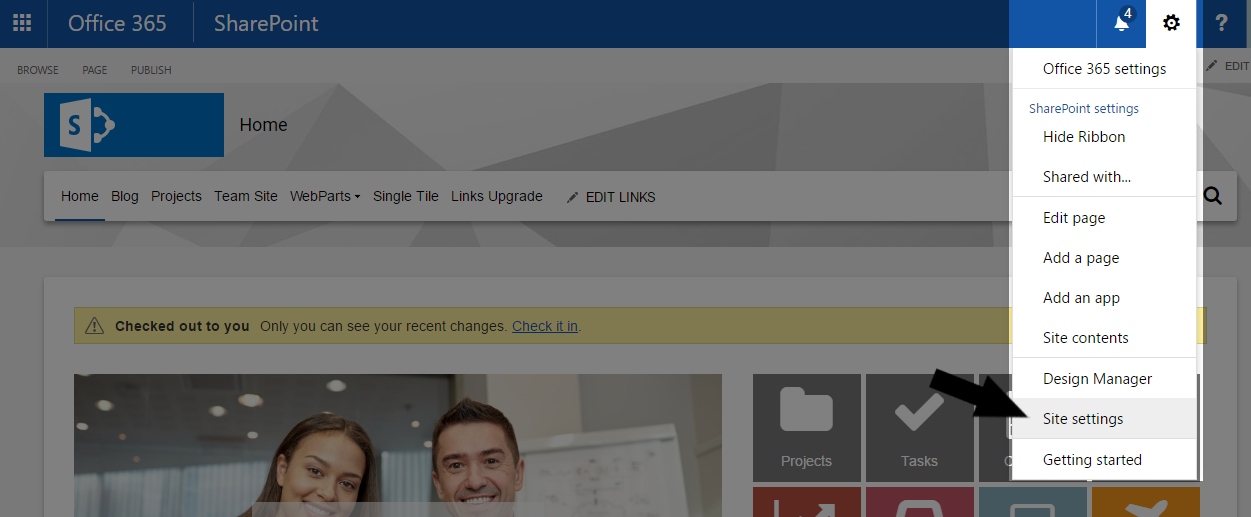
Open Site settings at the root of your site collection;
-
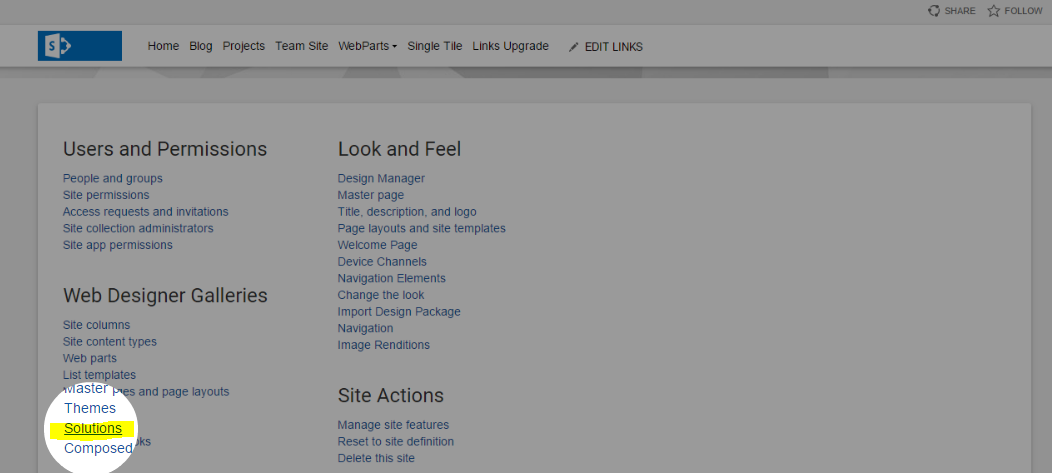
Select Solutions, under Web Design Galleries;
-
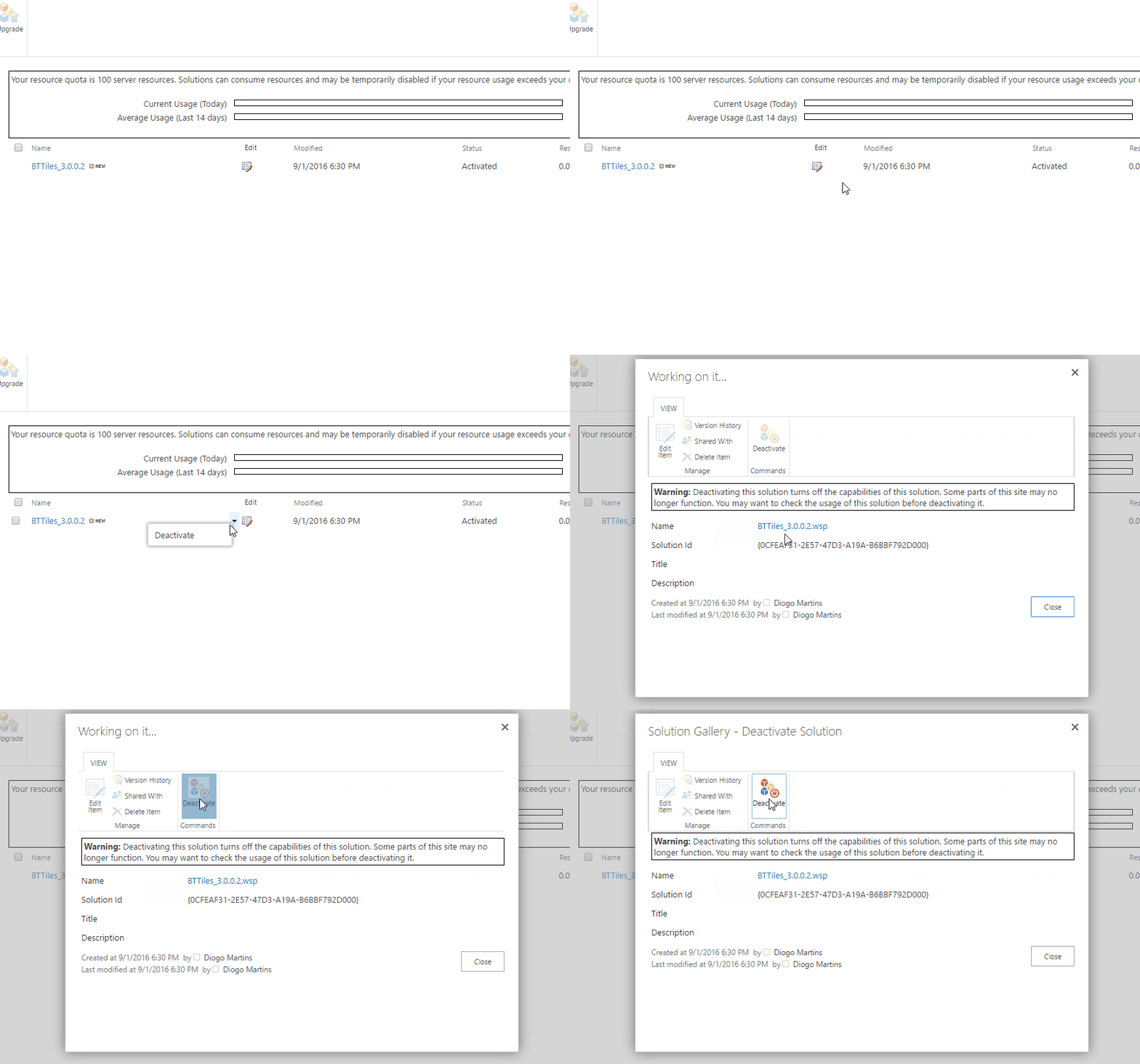
Select the already existing web part solution and Deactivate it;
-
Once it finishes deactivating, Delete the solution from the gallery;
-
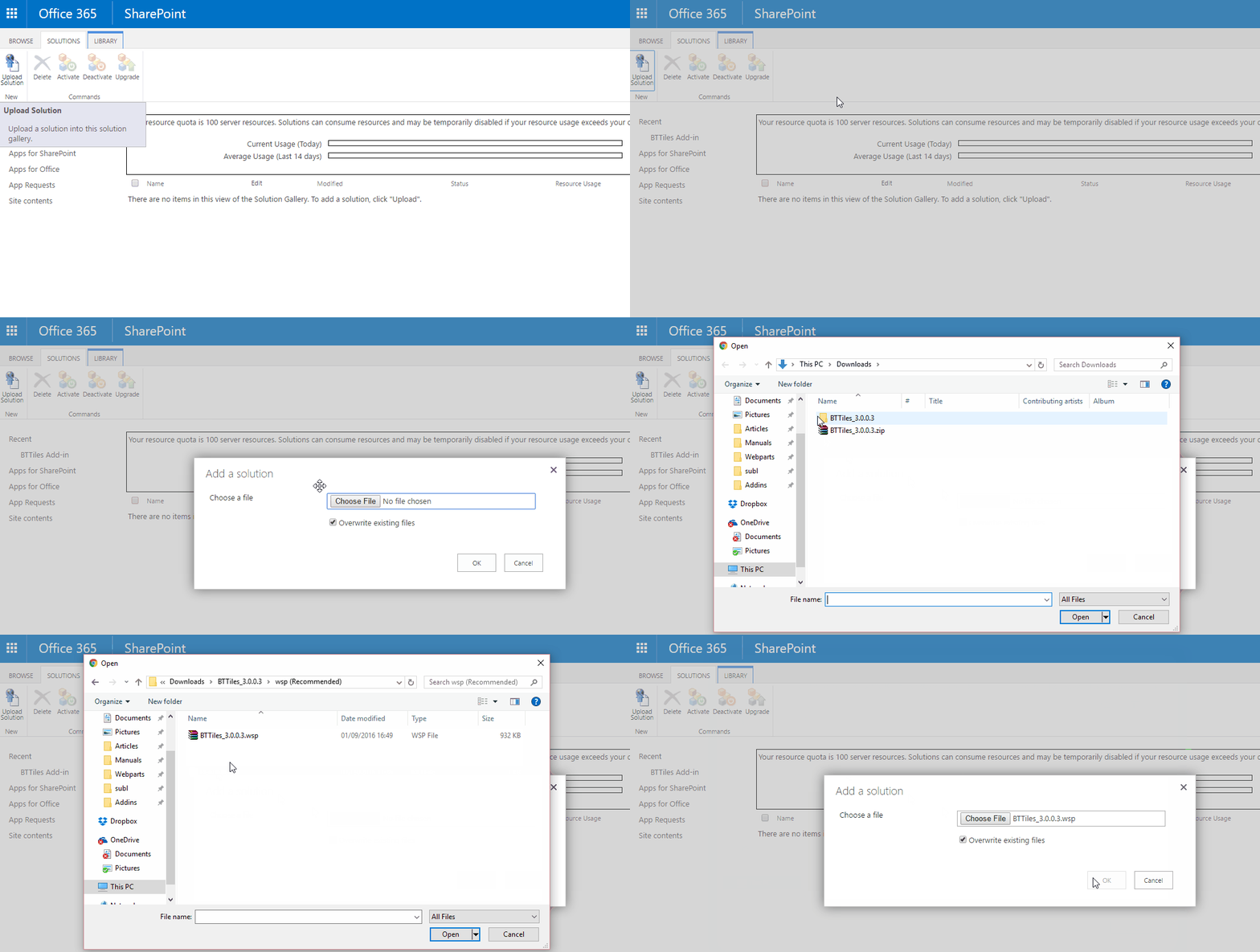
On the tool bar click Upload Solution and select the installation .wsp file (ex.BTXXX_x.x.x.x.wsp)
-
As soon as the upload is complete, click on Activate and wait for the page to refresh.
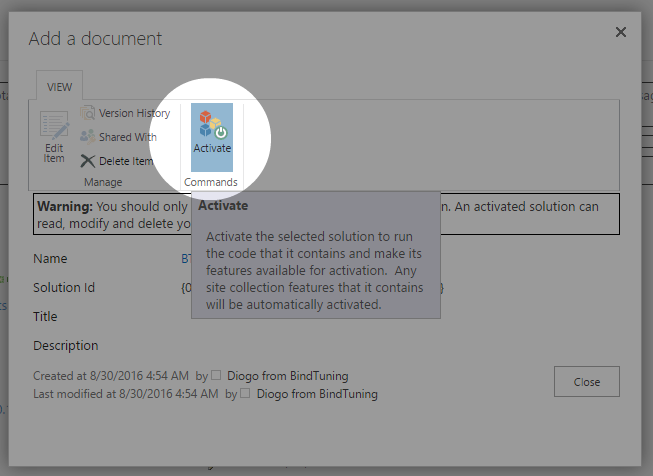
Web Part upgraded! ✅